

Privacy, data ownership & AI processing
What is this?
Section titled “What is this?”This guide summarizes how Docu-Coach™ handles your data, voice recordings, transcripts, AI processing, access boundaries, and account deletion based on verified product behavior.
Data ownership & tenant isolation
Section titled “Data ownership & tenant isolation”- Data ownership: You keep ownership of your Customer Content, including employee notes, voice recordings, transcripts, and exports. Docu-Coach™ receives a limited license to host and process it so the service can run.
- Organization-scoped isolation: Organization-scoped Row-Level Security (RLS) is the database access boundary for employee records. Another company’s account cannot open yours.
- Employee privacy: Employees do not get access to notes about them because they are on a roster. Furthermore, if a manager’s user account is linked to their own roster record in Team & Permissions, they cannot view coaching notes written about themselves.
- Private Daily Notes: Daily Notes stay exclusively with the manager who recorded them.
Audio & recording consent rules
Section titled “Audio & recording consent rules”- Manager’s own voice note: You record your own voice note after a conversation. Docu-Coach™ does not join live meetings and is not a tool for recording other people. Always follow the consent rules where you work before recording anyone else.
- Private storage & signed URLs: Audio recordings are kept in private storage buckets and opened only with short-lived signed URLs (
3600seconds TTL). - Transport security: Connections are encrypted in transit where the infrastructure supports it. Payment card numbers are handled by the payment processor (Paddle).
How AI processes your records
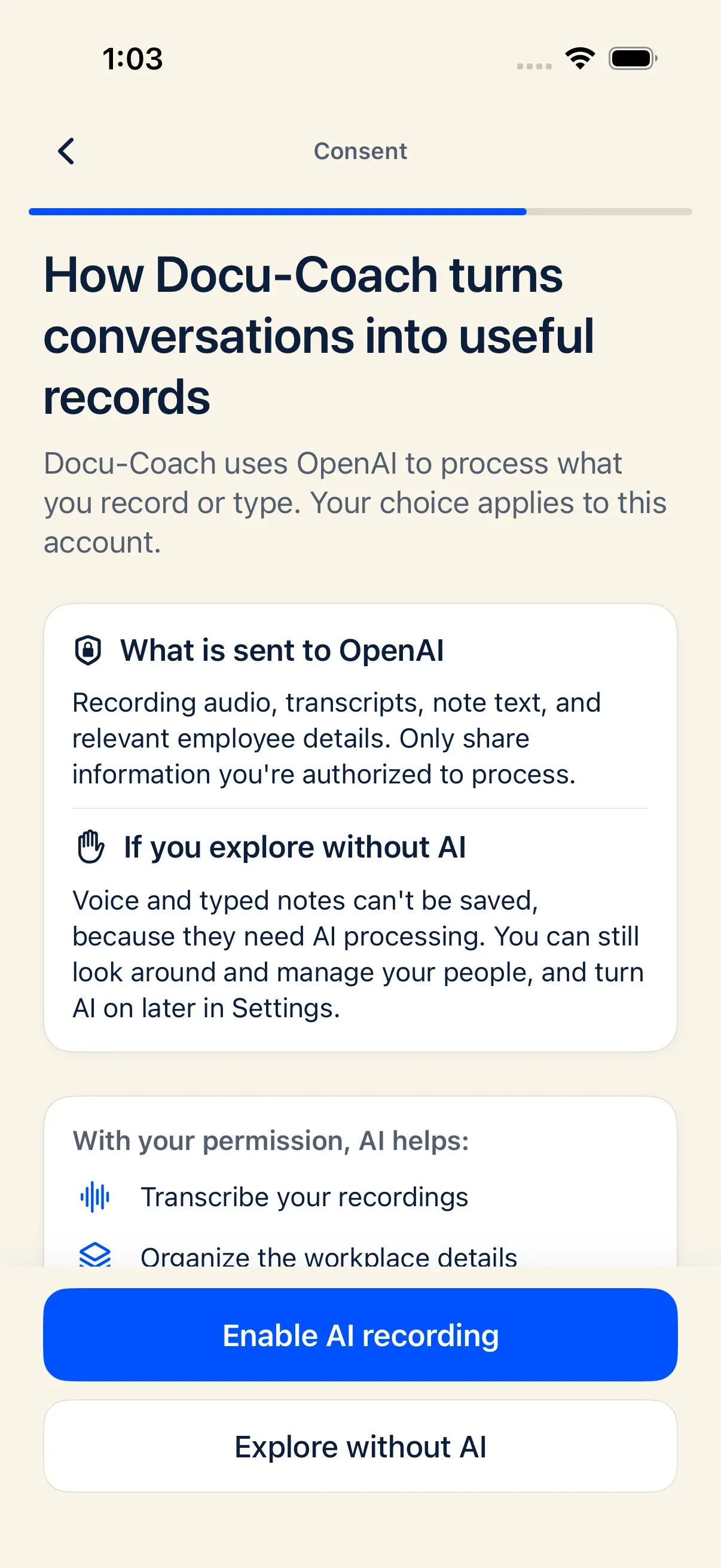
Section titled “How AI processes your records”- AI provider & storage off: Transcription sends audio to the configured AI provider, such as OpenAI. Note polishing and Ask Docu-Coach send the relevant text with provider storage turned off (
store: false). - Metadata-only AI logging: Internal AI gateway logs record only metadata (organization ID, purpose, feature, model, correlation ID, data classification, and regulated-data mode)—never transcripts, note text, or coaching briefs.
- Model training policy: As stated in the Privacy Policy, Docu-Coach™ does not use Customer Content to train public AI models for unrelated products without a clear, lawful basis and appropriate configuration. Docu-Coach™ does not publish a broader no-training promise.
- Human review of AI output: AI drafts are drafts. Review them before you rely on them. Ask Docu-Coach ties factual claims back to saved records, and it does not decide discipline.
Controlling AI processing
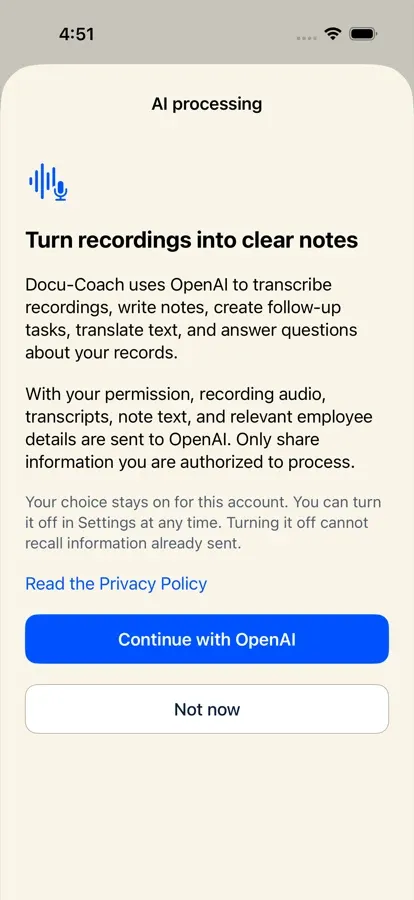
Section titled “Controlling AI processing”- On iPhone: A one-time disclosure asks for your permission (Continue with OpenAI) before personal data is sent to OpenAI, and you can toggle AI privacy on or off at any time in Settings. Withdrawing permission stops new AI requests and cancels pending operations (data already sent or server processing already started cannot be recalled, and existing saved records remain readable).
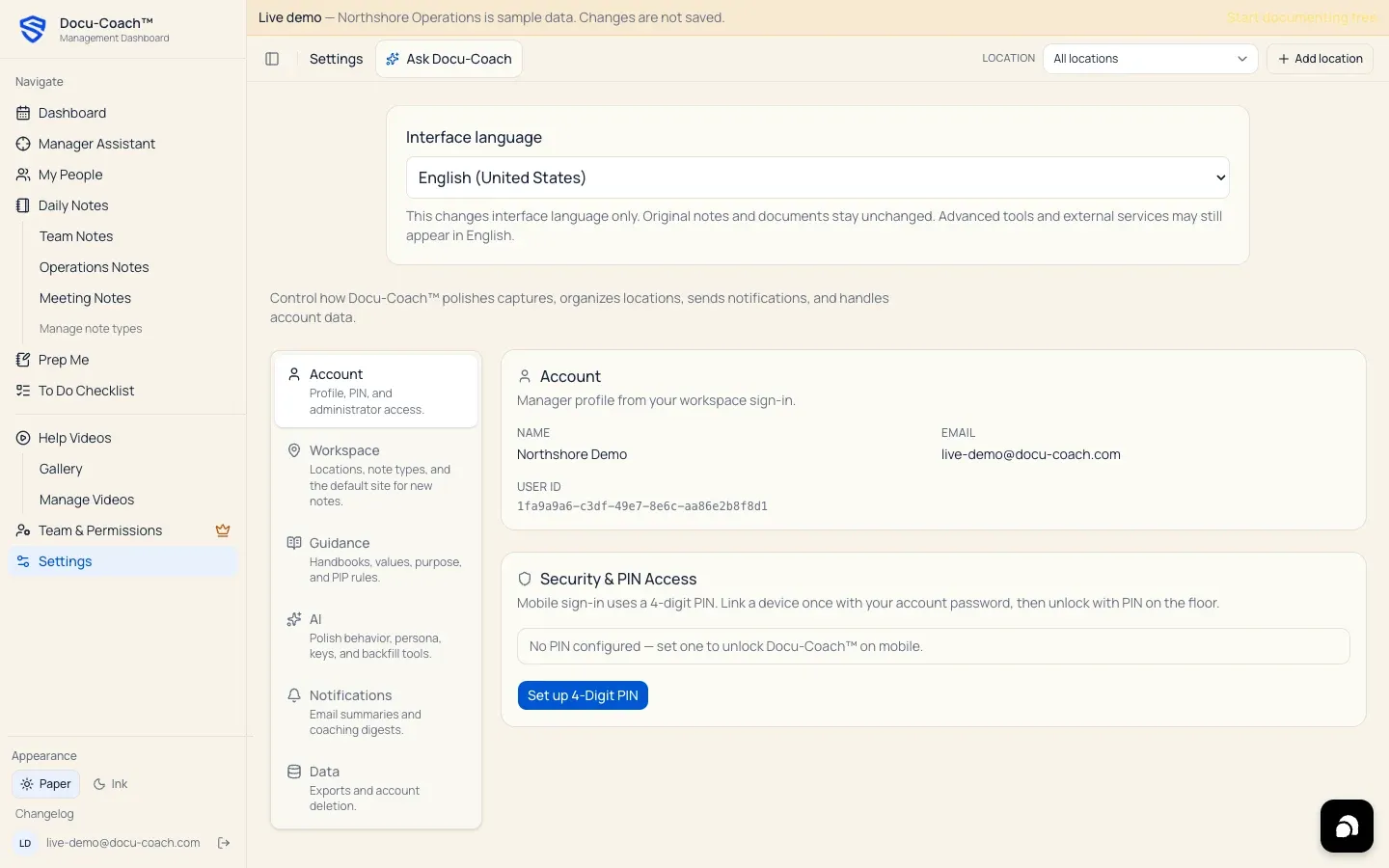
- On the web: You can toggle Auto-polish on or off in Settings → AI (
/admin/settings?tab=ai).
Retention, audio deletion, and account deletion
Section titled “Retention, audio deletion, and account deletion”- Retention & audio deletion: There is no published automatic retention window that deletes aged notes. Deleting a recording’s audio from the web player removes the audio file from storage while the written transcript and note stay until you delete the record. Deleting a record permanently removes both the record row and its associated audio file.
- Self-serve account deletion:
- Web: Go to Settings → Data → Delete account, type
DELETEto confirm, and click Delete my account. - iPhone: Go to Settings → Delete account (which opens the authenticated account-deletion confirmation page at
https://www.docu-coach.com/account/delete). - Deleting your account permanently removes your sign-in login, PIN, notification preferences, saved OpenAI key, and workspace membership. Shared employee and incident records may remain for your organization’s documentation history, and backups or legal holds can delay complete removal.
- Web: Go to Settings → Data → Delete account, type
Certifications & third-party integrations
Section titled “Certifications & third-party integrations”- Certifications: Docu-Coach™ does not claim SOC 2 or HIPAA certification.
- No third-party data readers: There are no live third-party integrations that read your records. Native HRIS integrations and a Docu-Coach™ MCP server are planned and are not available today.