

Prep Me for 1:1s & meetings
What is this?
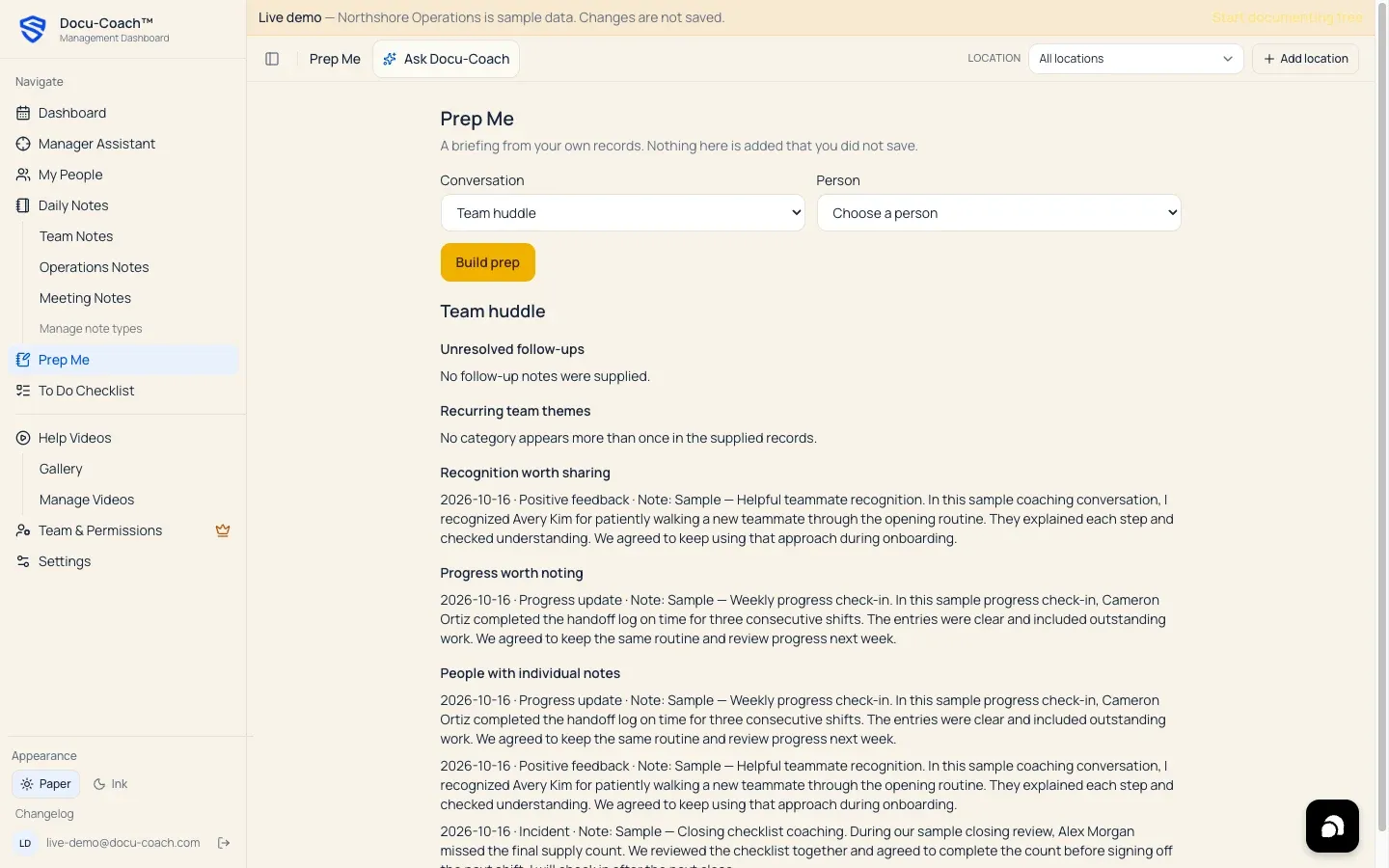
Section titled “What is this?”Prep Me (/admin/prep-me) compiles an instant, structured briefing from your already-saved records and follow-up notes. Nothing is invented or added that you did not save—every item in the briefing links directly back to the underlying record on the employee’s timeline.
When would I use it?
Section titled “When would I use it?”- Five minutes before a 1:1, coaching follow-up, or recognition check-in with an employee so you can review recent wins, open coaching items, progress updates, and follow-up commitments.
- Before a Team huddle or Leadership meeting to pull together recent records across all employees you are authorized to see.
Where is it?
Section titled “Where is it?”- Web Management Dashboard: Click Prep Me in the left sidebar (
/admin/prep-me).
How do I use it?
Section titled “How do I use it?”- Open Prep Me (
/admin/prep-me). - Under Conversation, select the type of meeting you are preparing for:
- 1:1 (
one_on_one) - Coaching follow-up
- Recognition check-in
- Team huddle (
team_huddle) - Leadership meeting (
leadership_meeting)
- 1:1 (
- Under Person, choose the employee from your active roster. (If you selected Team huddle or Leadership meeting, Prep Me uses recent records across your authorized team even without a single person selected.)
- Click Build prep.
- Review the generated sections and click any bullet item to jump directly to that record in the employee’s Employee Command Center.
What happens after I do it?
Section titled “What happens after I do it?”- Deterministic compilation: Prep Me uses Docu-Coach™’s deterministic briefing compiler over your latest saved incidents, positive feedback, progress updates, and
incident_follow_ups. It does not send your data to an external LLM to generate the briefing and does not fabricate statements. - Not stored in the employee file: Generating a Prep Me briefing is a read-only preparation view for you as the manager; it does not add a new record to the employee’s history.
Permissions, plans, and platform limitations
Section titled “Permissions, plans, and platform limitations”- Included on every plan: Prep Me is available on Free, Manager, and Teams and does not consume your Free plan monthly AI draft allowance because it uses the deterministic compiler.
- Authorized records only: The briefing includes only records you have permission to read under your organization role and Record sharing rules.
What can go wrong?
Section titled “What can go wrong?”- Briefing is empty after clicking Build prep: If you chose an individual conversation type (1:1, Coaching follow-up, or Recognition check-in), make sure you also selected a Person from the dropdown and that the person has saved records on their timeline.