

Incident follow-up threads
What is this?
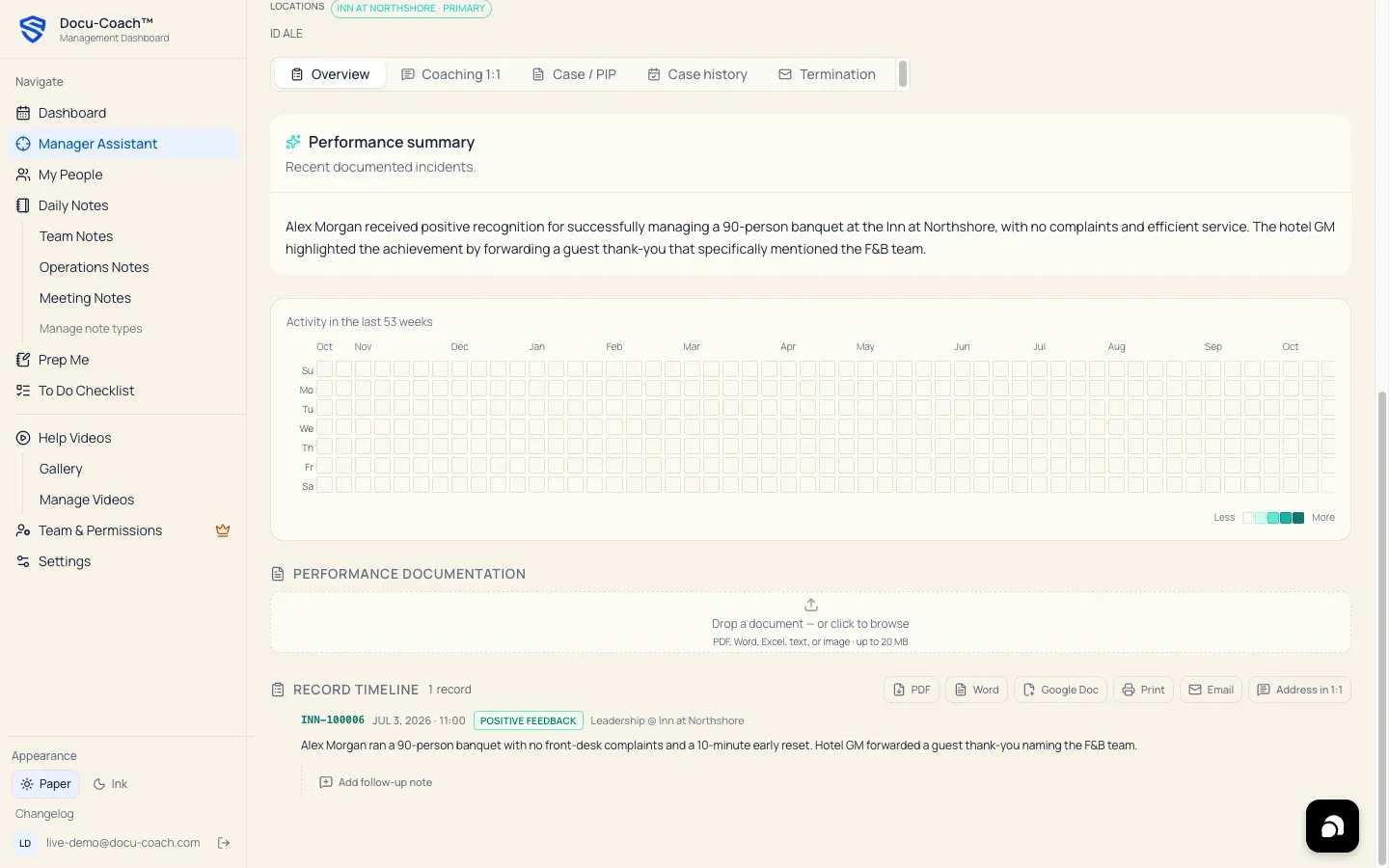
Section titled “What is this?”Every incident card in an employee’s Employee Command Center (/admin/employees/[id]) includes an Incident Follow-Up Thread (incident_follow_ups). While a To-Do is a private reminder on your personal checklist, an Incident Follow-Up is a dated record attached directly to that incident showing what happened when you followed up with the employee.
When would I use it?
Section titled “When would I use it?”- Logging the outcome of a coaching conversation after a high-severity incident (closing a Conversation owed alert in HR Center).
- Recording what the employee committed to do, whether additional training was provided, or how they responded during a check-in.
Where is it?
Section titled “Where is it?”- Web Management Dashboard: My People → [Select Employee] (
/admin/employees/[id]), inside each incident card on the timeline. - Included in briefings: Follow-up notes automatically appear in Prep Me (
/admin/prep-me), HR Ready (/admin/employees/[id]/hr-ready), and Ask Docu-Coach citations.
How do I use it?
Section titled “How do I use it?”- Open My People and click the employee to open their Employee Command Center.
- Scroll to the incident card you want to update.
- In the Follow-up section at the bottom of the incident card, type what was discussed, what support was offered, and any commitments made.
- Optional: Use AI follow-up polish to refine your typed note into clear, neutral HR language before saving.
- Click Save follow-up.
What happens after I do it?
Section titled “What happens after I do it?”- The follow-up note is saved with your
author_idand timestamp (created_at) directly underneath the parent incident. - In Manager Assistant / HR Center (
/admin/command-center), logging a follow-up on a high-severity incident clears that incident from the Conversations owed queue. - When you generate a Prep Me or HR Ready briefing—or export the employee’s timeline to Word (
.docx) or PDF—the follow-up thread is included alongside the original incident so reviewers see the complete follow-through.
Permissions, plans, and platform limitations
Section titled “Permissions, plans, and platform limitations”- Visibility: Incident follow-ups follow the visibility of their parent incident. Managers who can read the parent incident can read its follow-up thread; employees linked to their own roster record can never see incidents or follow-ups about themselves.
What can go wrong?
Section titled “What can go wrong?”- Incident still shows under “Conversations owed” in HR Center: Make sure you saved the follow-up on the specific high-severity incident flagged in the Do today queue, or mark the 1:1 Coaching Session covering that incident as completed.